Which documents this covers
QCTO Boss issues your provider’s own documents, and nothing else:
- Statements of results for QCTO qualifications, part qualifications and skills programmes. The QCTO’s guideline says a provider issues a statement of results, never a certificate, and that it must say: “This Statement of Results is not an Occupational Certificate.”
- Certificates for courses that aren’t on the NQF, such as in-house short courses, refreshers, attendance and CPD activities.
It also keeps the register the QCTO asks providers to keep of the QCTO skills programme certificates they receive and hand out to learners, signed by each learner.
QCTO Boss never issues QCTO certificates. The QCTO issues occupational certificates (including part qualifications), skills programme certificates and trade certificates, and providers may not print their own. Legacy qualifications are certificated by the SETA. Employers check QCTO certificates with the QCTO, and SETA certificates with the SETA.
How it works
- You issue the document. QCTO Boss fills in your template, numbers it and places its QR code.
- The learner gets it. As a PDF to print or share, and in the learner app.
- An employer scans the QR code. Any phone camera opens the verification page. No app, no sign-in.
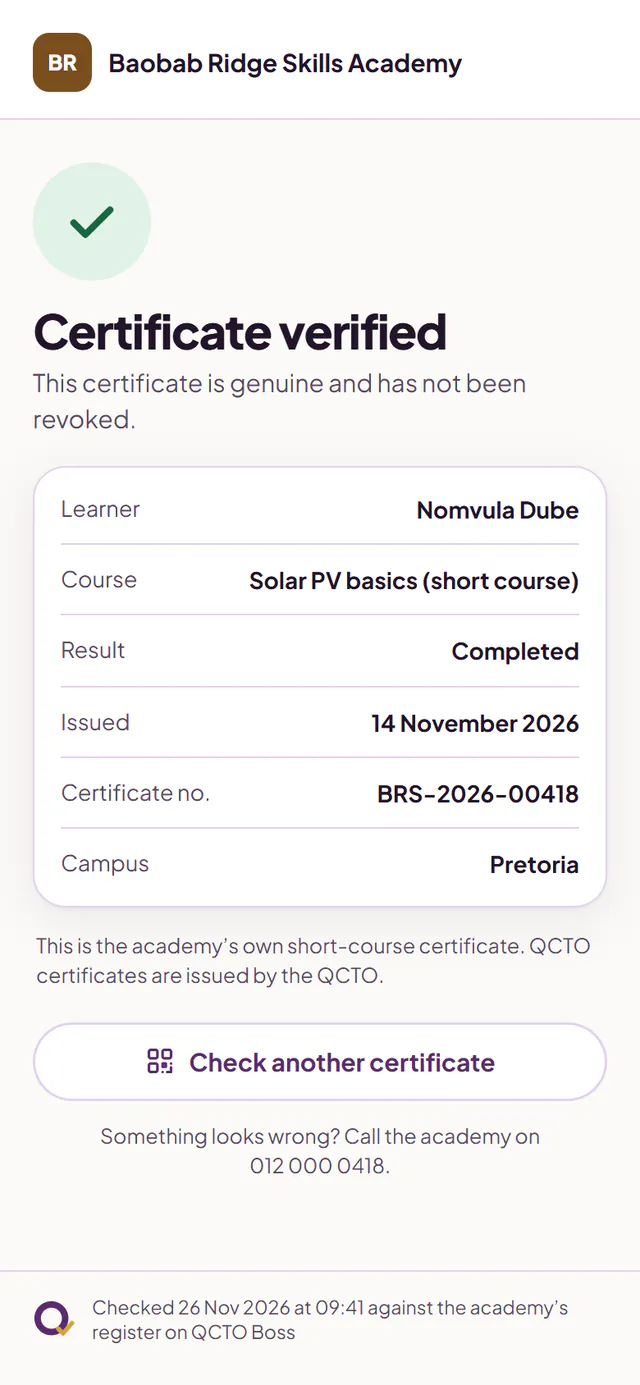
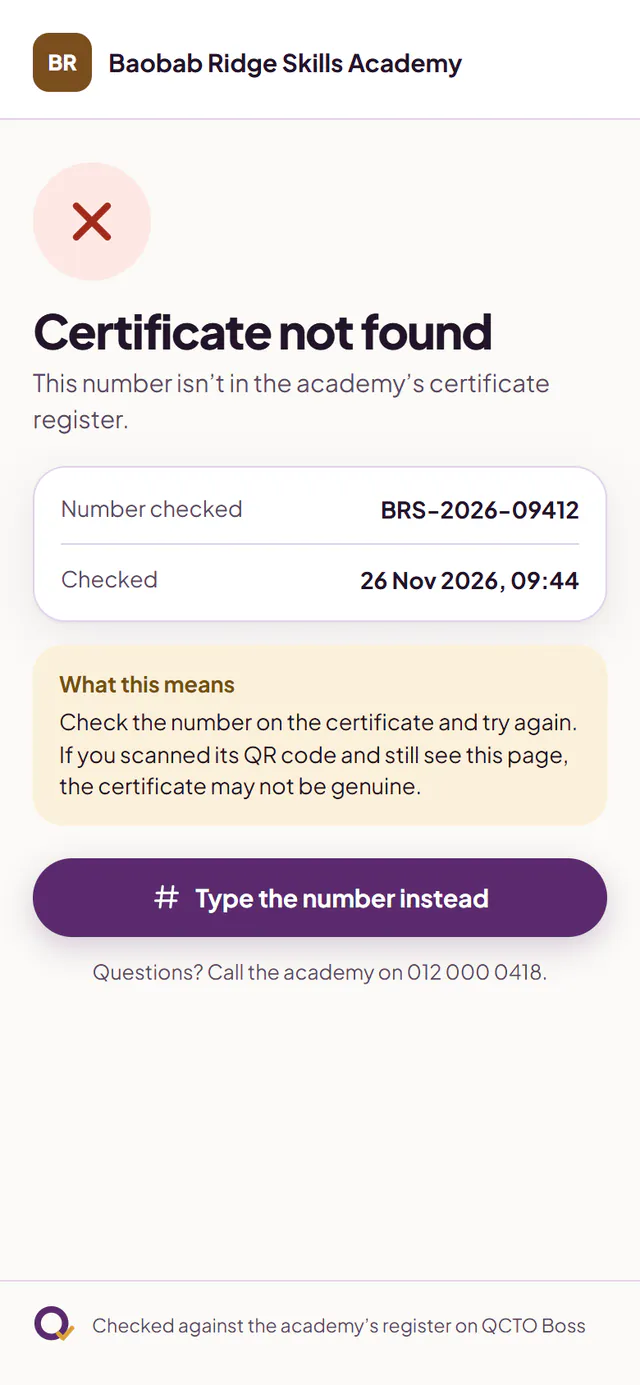
- They see the answer. “Verified”, with the learner’s name, the course or programme, the result, the date and your name. Or “not found”, if the number isn’t in your register.
Why it matters to a provider
A document with your name on it is a promise to every employer who reads it. When a fake one turns up, it costs you trust that’s hard to win back, and employers end up phoning your office to check documents one by one.
With a QR code on every document, checking takes seconds and needs nobody at your end. A forged one either has no code, or a code that opens a different learner’s record.
What the employer sees
The verification page shows only what’s needed to check the document: the learner’s name, the course or programme, the result, the issue date, the number and your provider’s name. It never shows an ID number.
If you revoke a document, for example one issued in error, the page says it has been revoked from that moment on.
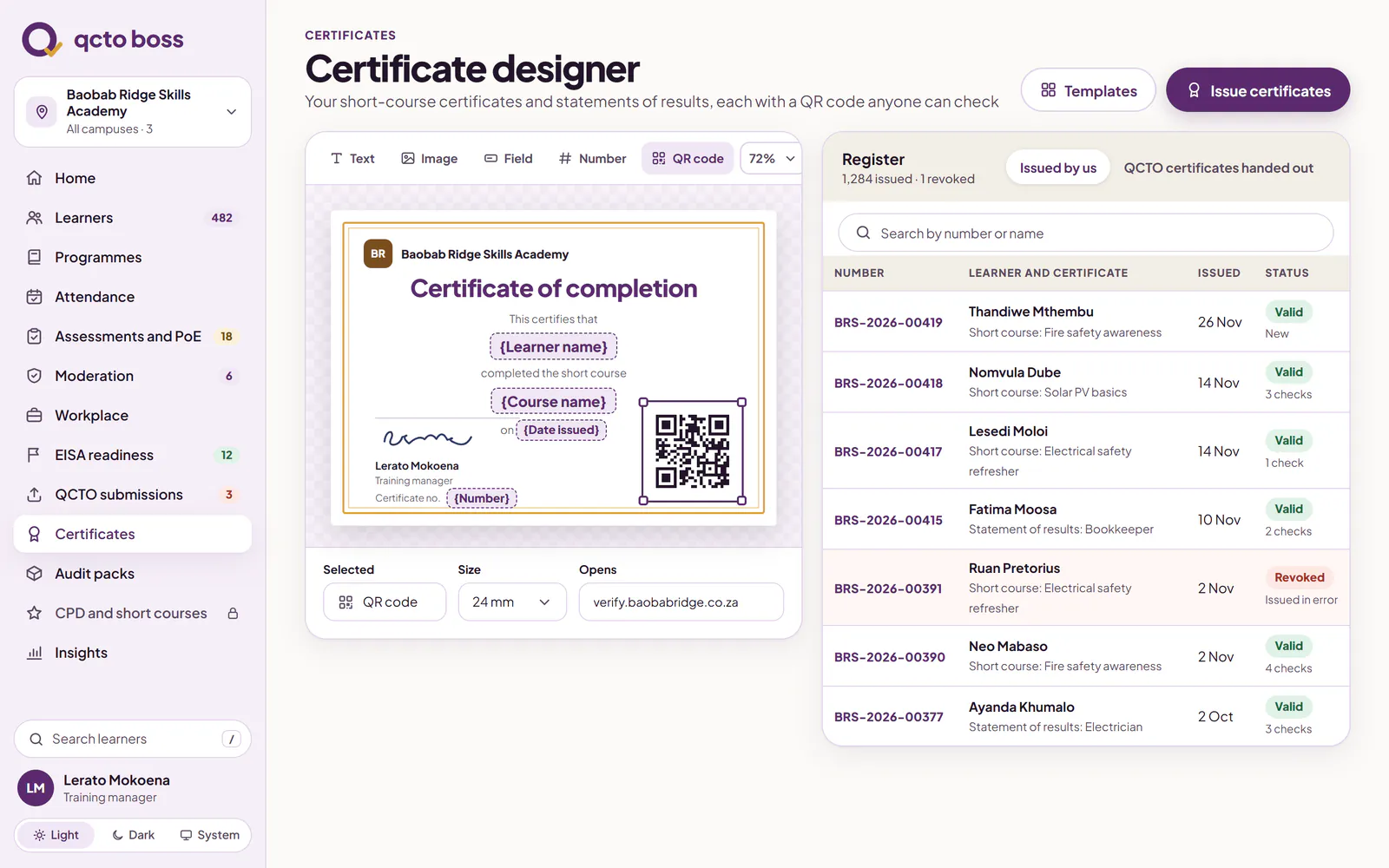
The certificate designer and the register. Design preview with made-up learners.
Questions
Can someone copy the QR code onto a fake certificate?
A copied QR code opens the record it belongs to, so the learner’s name, course and date on the page won’t match the fake. Anyone checking sees the difference at once.
Does the employer need an app?
No. Any phone camera opens the link, and the page works in any browser.
Whose name is on the verification page?
Yours. The page sits on your own web address and shows your provider’s name, with a small note that the register is kept on QCTO Boss.
What does the page show about the learner?
Only what’s needed to check the document: the learner’s name, the course or programme, the result, the date and the document number. Never an ID number.
Does QCTO Boss issue QCTO certificates?
No. The QCTO issues occupational, part qualification, skills programme and trade certificates, and providers may not print their own. QCTO Boss issues the provider’s own documents: statements of results, and certificates for short courses that aren’t on the NQF.
- QCTO: The Road to Success, the SDP’s guide to offering occupational qualifications, version 2, October 2024
- Occupational Qualifications Sub-Framework Policy, 2021 (Government Gazette 45401, 29 October 2021)
- QCTO guideline and template for issuing a statement of results
- QCTO Certification Circular 1 of 2022: certification of skills programmes
- QCTO: For learners, including the certificates the QCTO issues
- QCTO: For employers, including verifying certificates
- QCTO: Key FAQs for skills development providers (version 6)