The platform, module by module
QCTO Boss is a learner management system built around what the QCTO asks of skills development providers. Priced by the modules you use and the number of active learners. Start with learner records and PoE and add the rest when you need it.
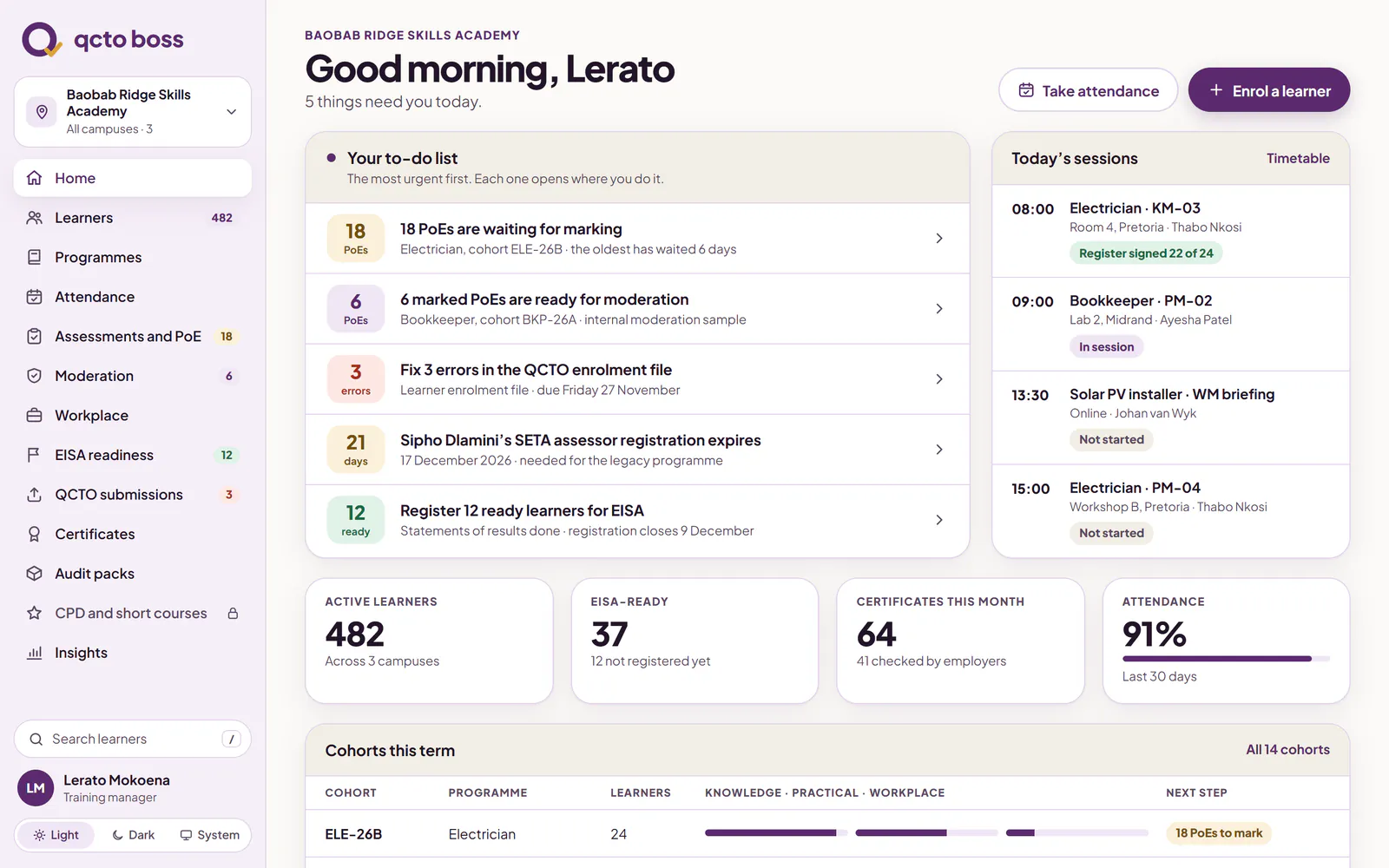
Design preview with made-up learners.
Every module
Learner records
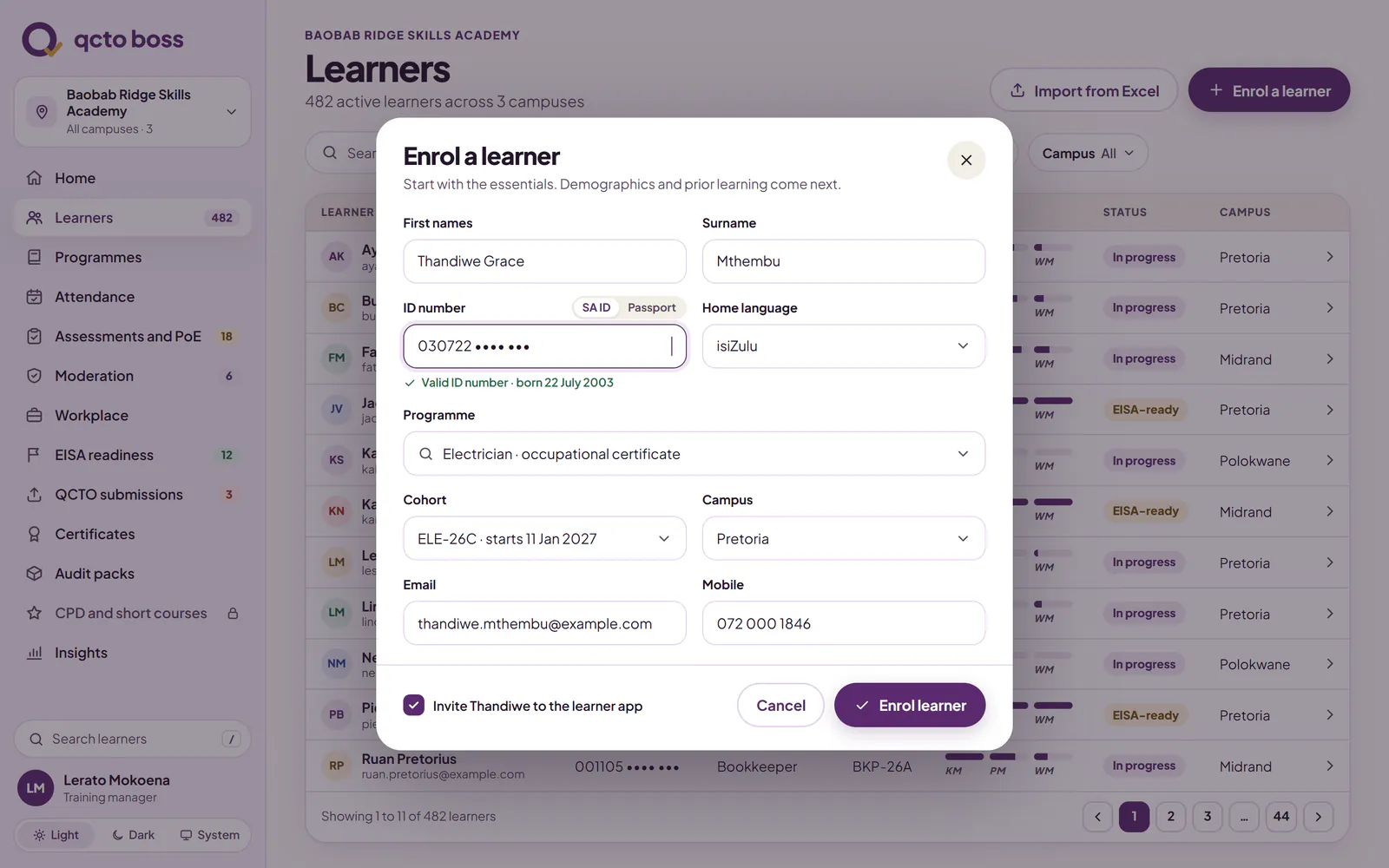
Each learner’s details in the form the QCTO’s enrolment file asks for: ID or passport, demographics, home language, contact details and POPI consent. Enrolments per qualification, cohort or class, and the learner’s whole history in one view.
- Import your existing learner lists from Excel
- ID numbers checked as you type, and stored encrypted
- Search and filters on every list
Programmes and curriculum
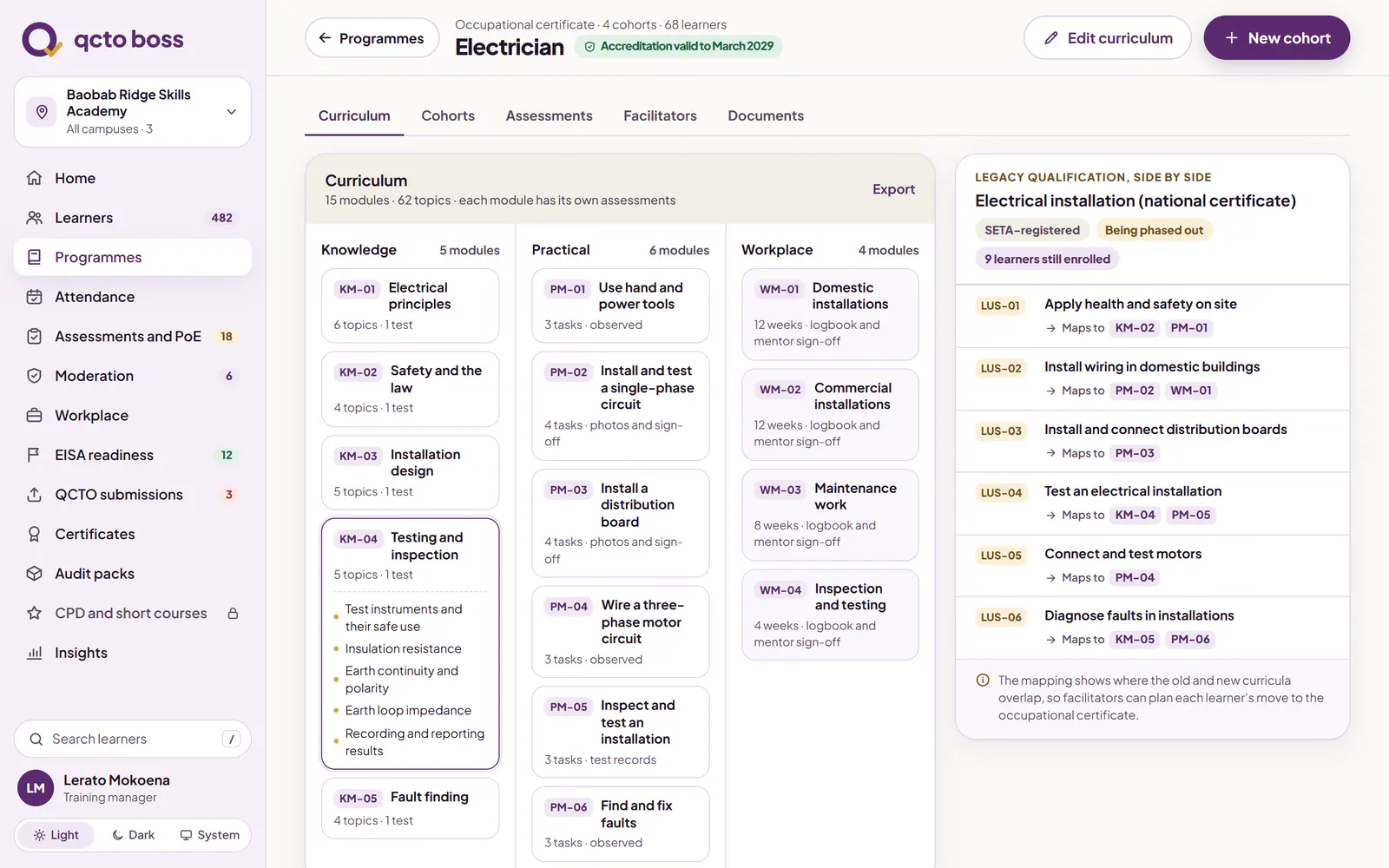
Set up qualifications, part qualifications and skills programmes with their knowledge, practical and workplace modules (KM, PM and WM) and the topics in each. Legacy SETA qualifications and their unit standards sit side by side with the new ones while you run both.
- Knowledge, practical and workplace modules for each programme
- Legacy qualifications and unit standards alongside
- One curriculum shared by every cohort
Attendance and facilitation
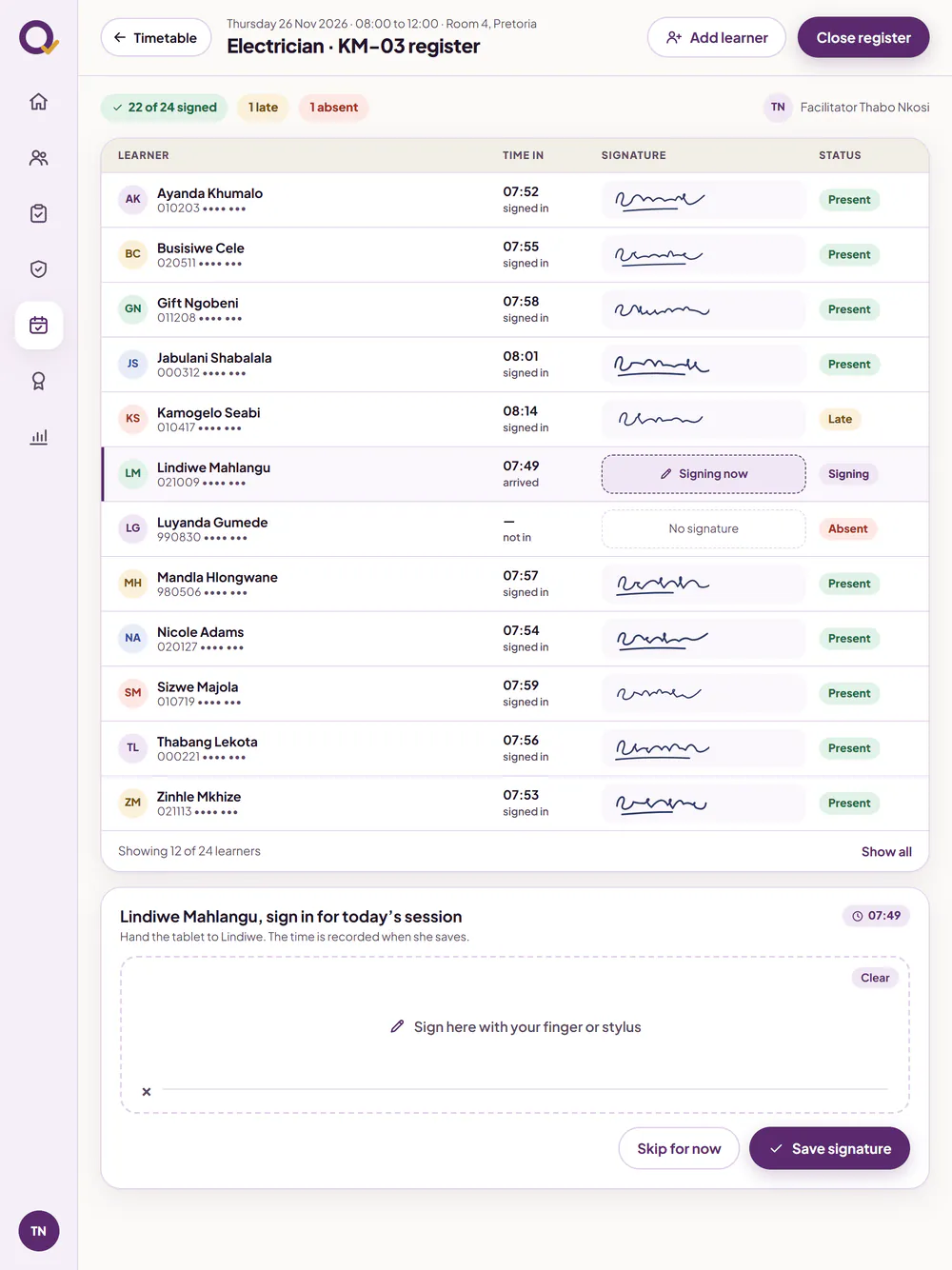
Plan class sessions and assign facilitators. Learners sign the register on a tablet, and QCTO Boss keeps each learner’s attendance up to date.
- Registers signed on the screen, by drawing
- Attendance per session, module and learner
- Absent learners flagged before it becomes a problem
Assessments and portfolios of evidence
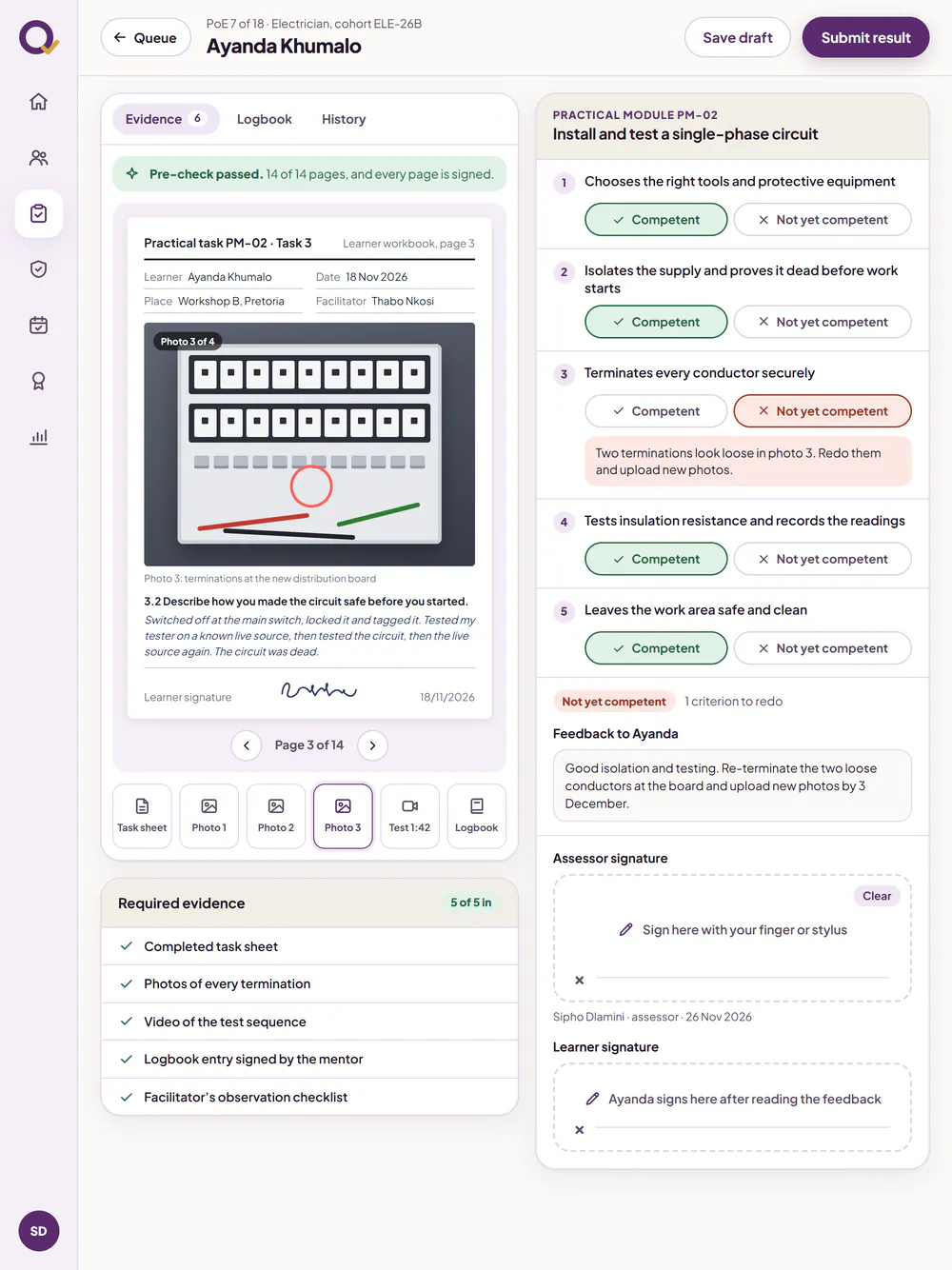
Formative and summative assessments for each module. The learner’s portfolio of evidence (PoE) arrives as documents, photos and video; the assessor marks each criterion competent or not yet competent (NYC), gives feedback and signs on the screen.
- Every assessment and reassessment with its date and outcome
- Assessor and learner signatures drawn on screen
- A pre-check flags a PoE with missing pages before the assessor opens it
Moderation
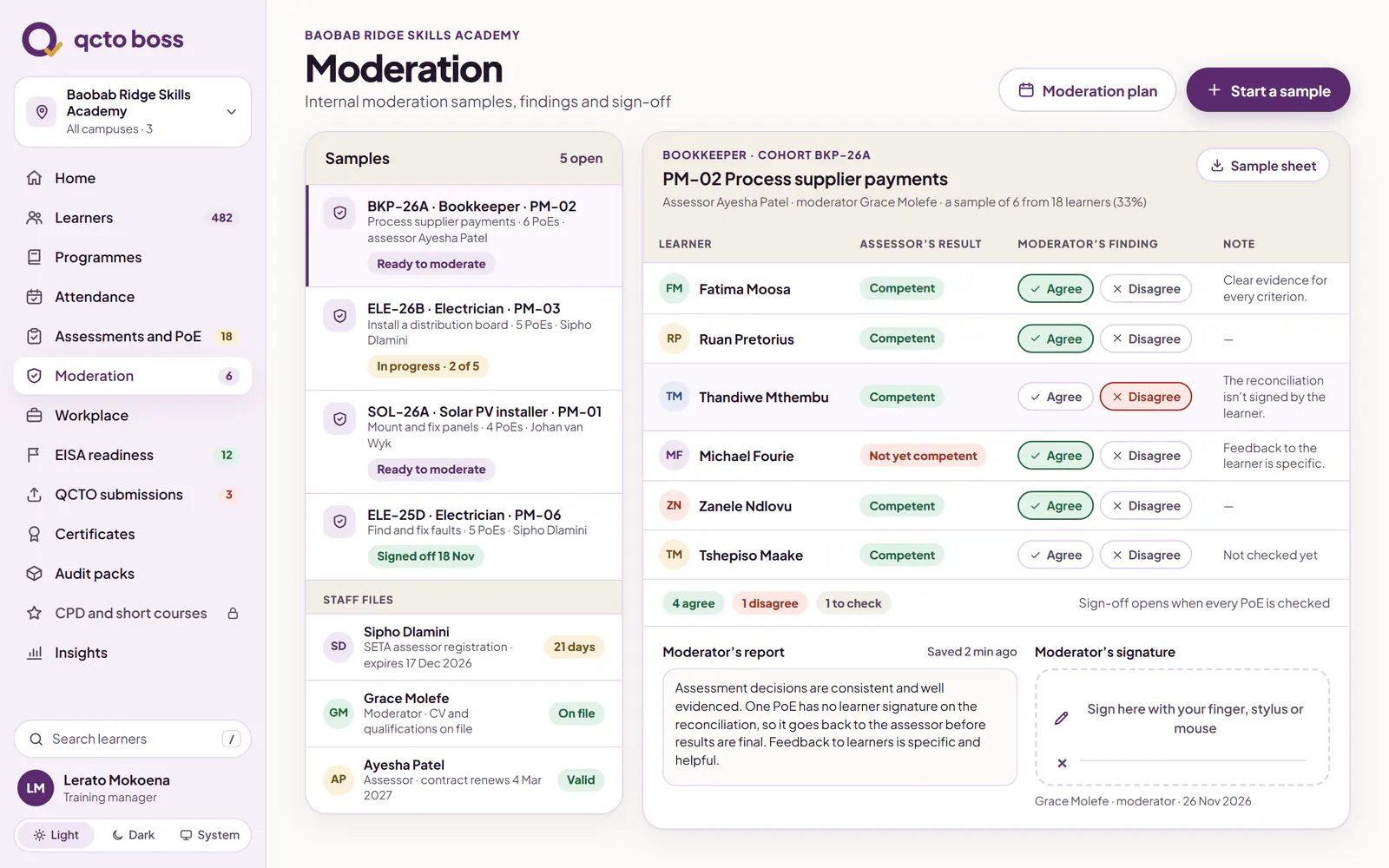
Pull an internal moderation sample for each cohort, record the moderator’s findings and sign-off, and keep your facilitators’, assessors’ and moderators’ CVs, qualifications, contracts and any registrations on file.
- Samples drawn across assessors and results
- Findings sent back to the assessor to act on
- Reminders before a registration or contract runs out
Workplace experience
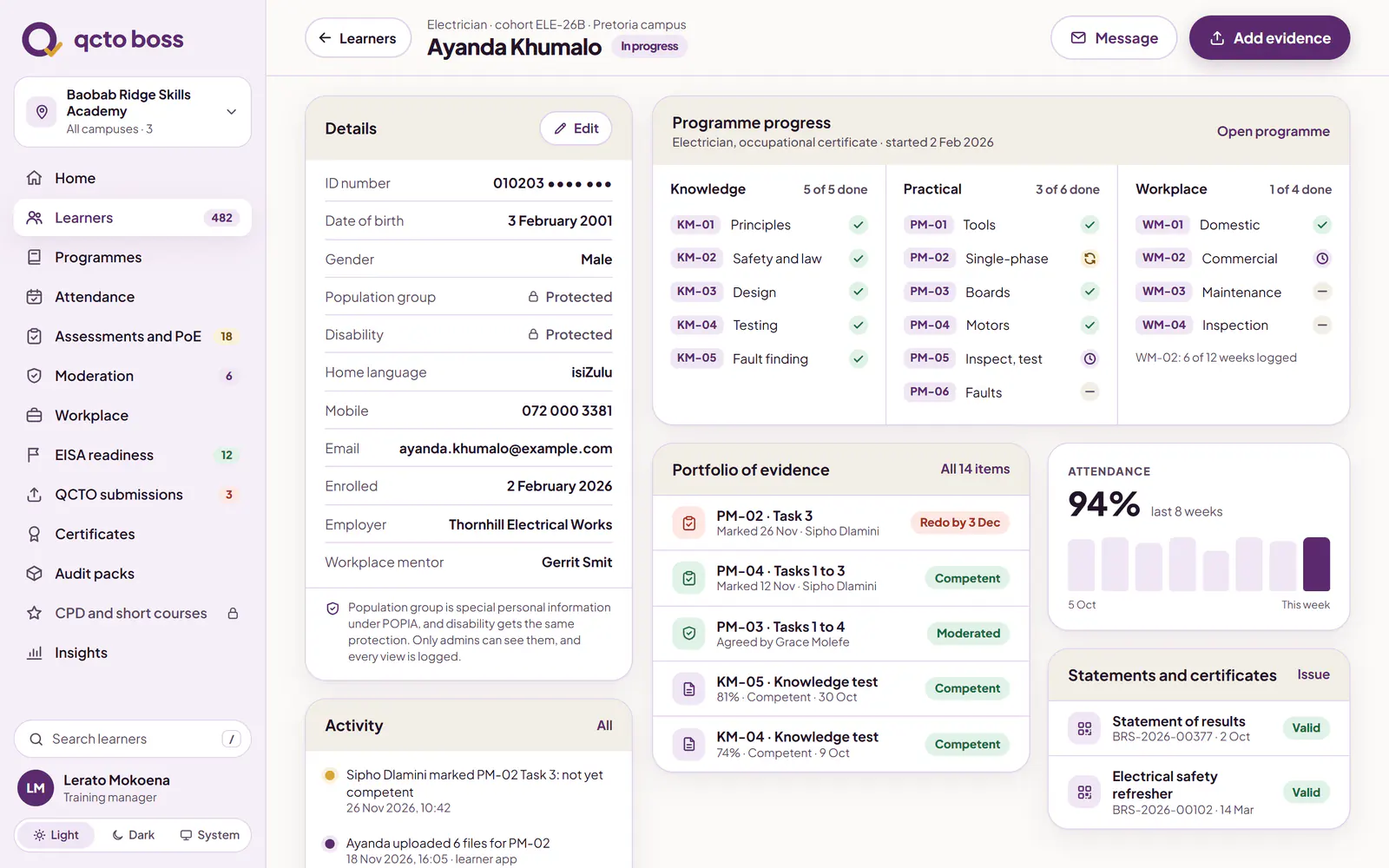
Record each learner’s workplace, their agreement with the employer, the logbook entries and the employer’s sign-off, so you can show the workplace evidence a learner needs before the external assessment.
- Placements and mentors per learner
- Logbooks completed on a phone, signed on screen
- Gaps flagged before EISA
EISA readiness
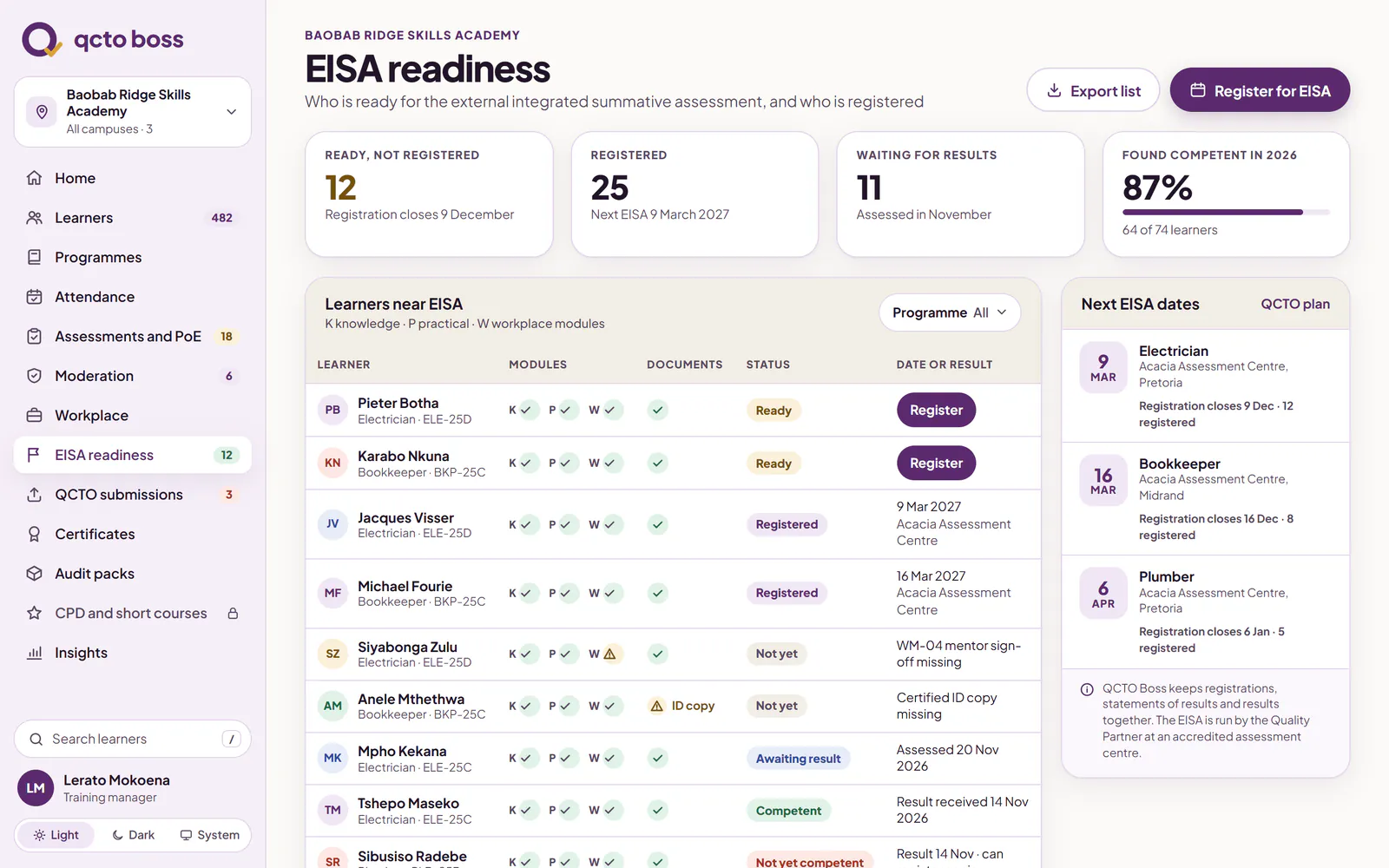
See which learners meet every requirement for the external integrated summative assessment (EISA), prepare their statements of results and the EISA readiness file, register them for the QCTO’s next EISA date, and record their results.
- Each requirement ticked off per learner
- Registrations and results in one list
- Registration closing dates on your to-do list
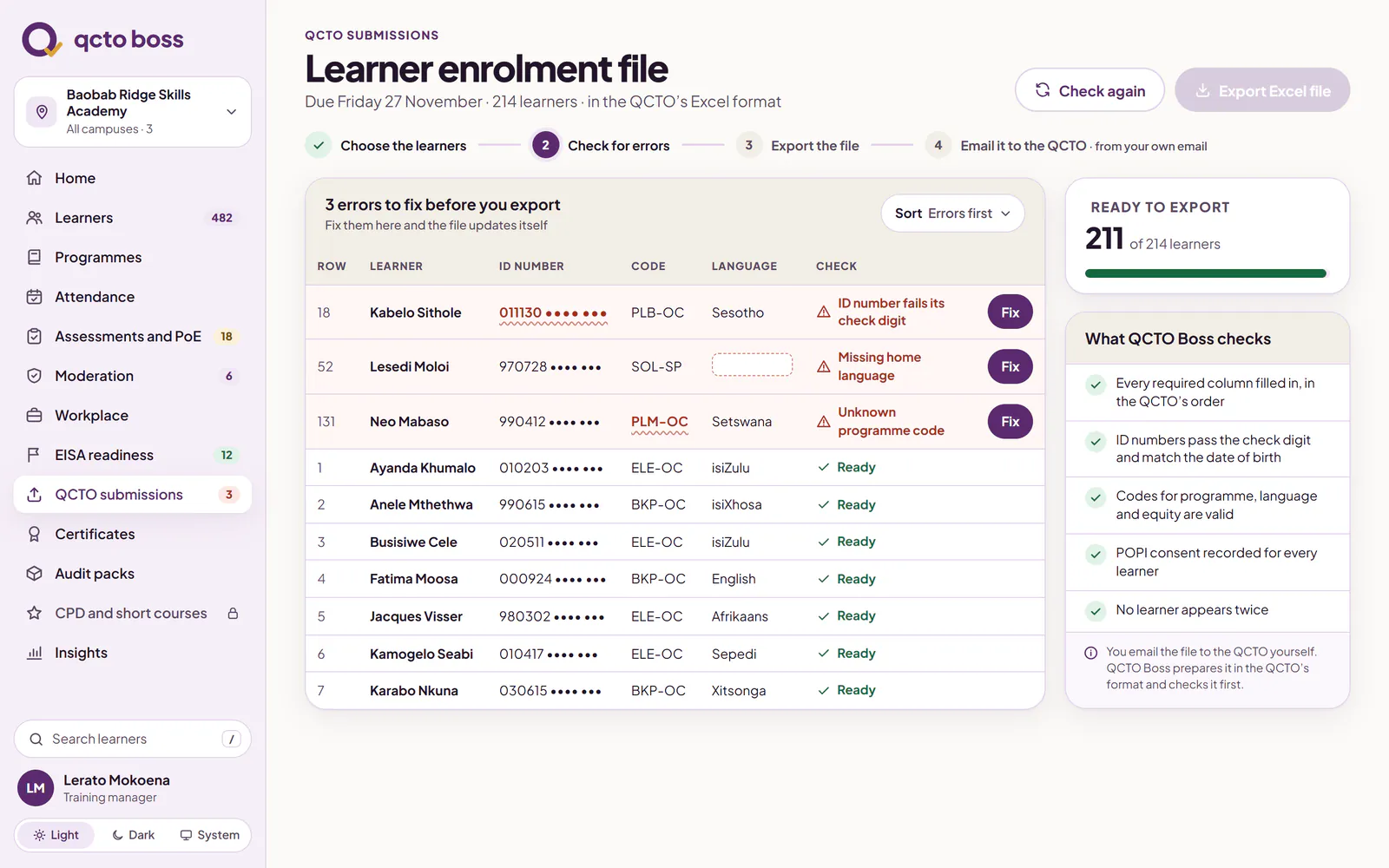
QCTO submissions
QCTO Boss prepares your learner enrolment and EISA readiness files in the QCTO’s Excel format, and your skills programme enrolments on the QCTO’s separate form, then checks them before you send them: missing fields, ID numbers that fail their check, and codes the QCTO won’t accept.
- Plain-language errors with a Fix button
- Fixed in the learner’s record, so it stays fixed
- You email the file to the QCTO yourself; there’s no direct link to QCTO systems
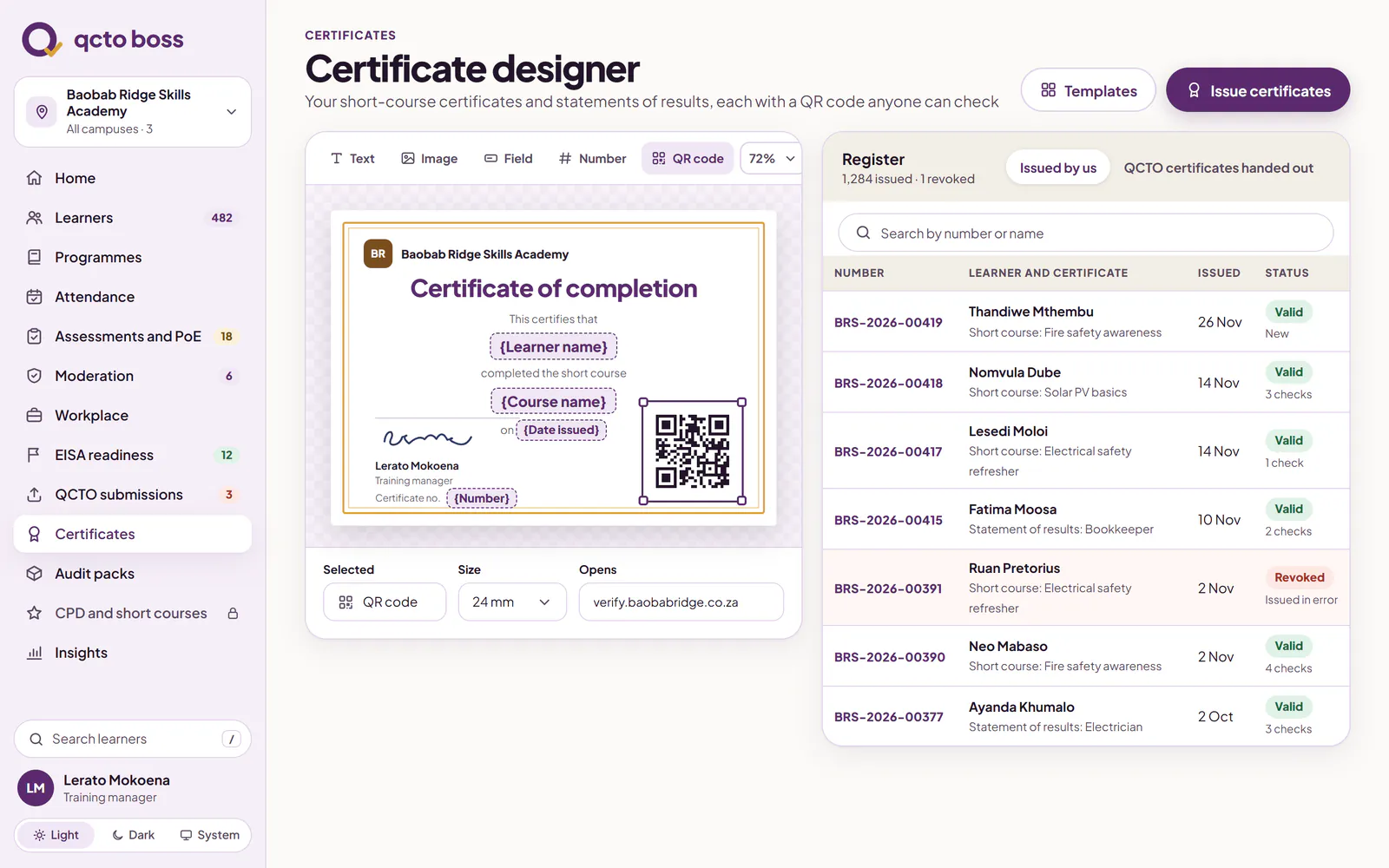
Statements of results and certificates
Issue statements of results for your QCTO programmes, and certificates for your short courses and CPD activities, from your own templates. Each gets a unique number and a QR code; scanning it opens a public page on your own web address that says genuine, not found or revoked.
- Statements of results with the wording the QCTO’s guideline asks for
- A register of the QCTO certificates you receive and hand out, signed by each learner
- Never a QCTO certificate: the QCTO issues those
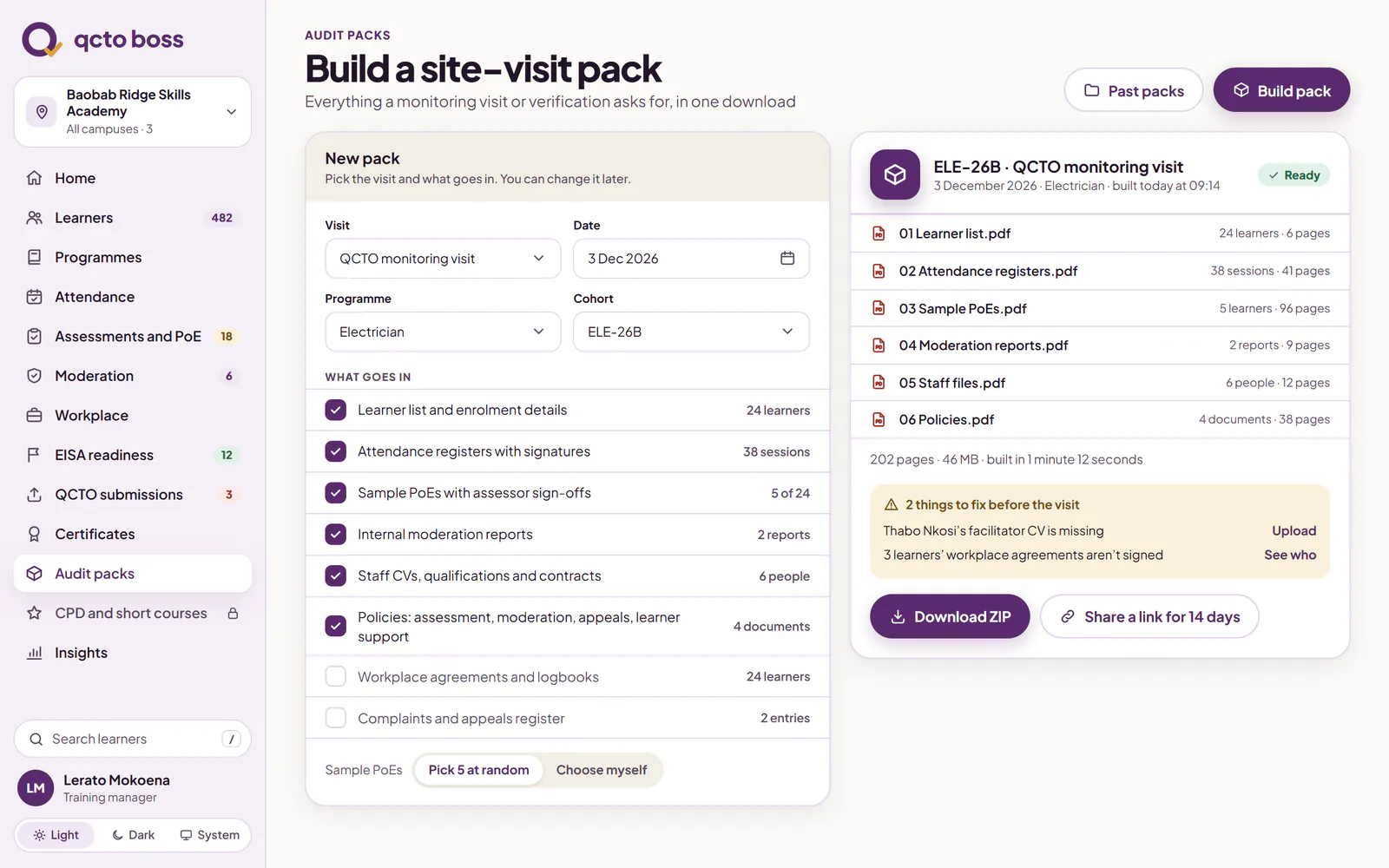
Audit and site-visit pack
One click builds a pack for a QCTO monitoring visit or a SETA verification: learner lists, attendance, sample PoEs with sign-offs, moderation reports, staff files and policies.
- Choose the cohort and what goes in
- An index page for the visitor
- Built from records you already keep
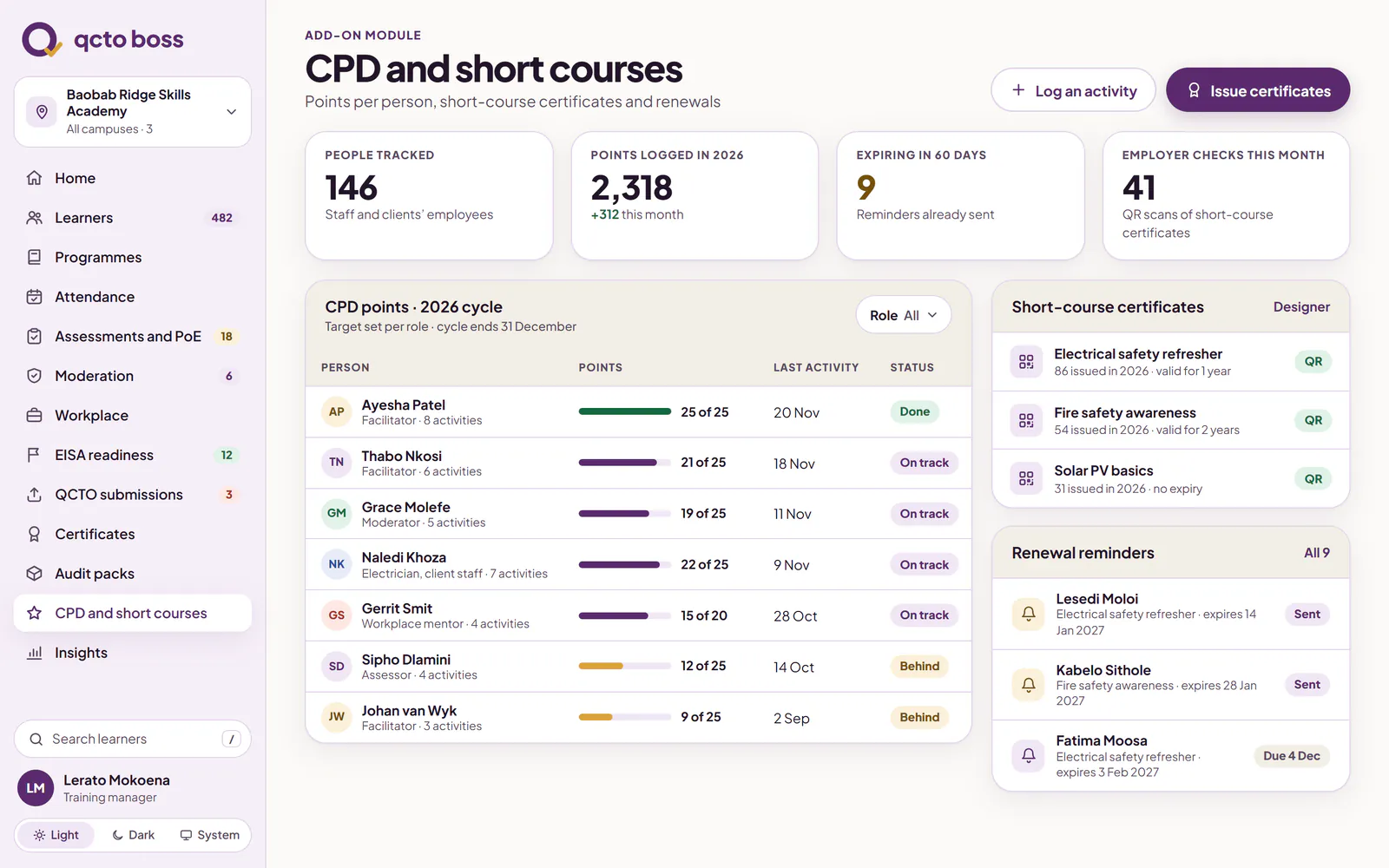
CPD and short courses
For providers who run short courses or CPD activities: points per person and per period, short-course certificates with the same QR checks, and reminders before a certificate needs renewing.
- Points per person, per period
- QR checks on every certificate
- Expiry reminders by email
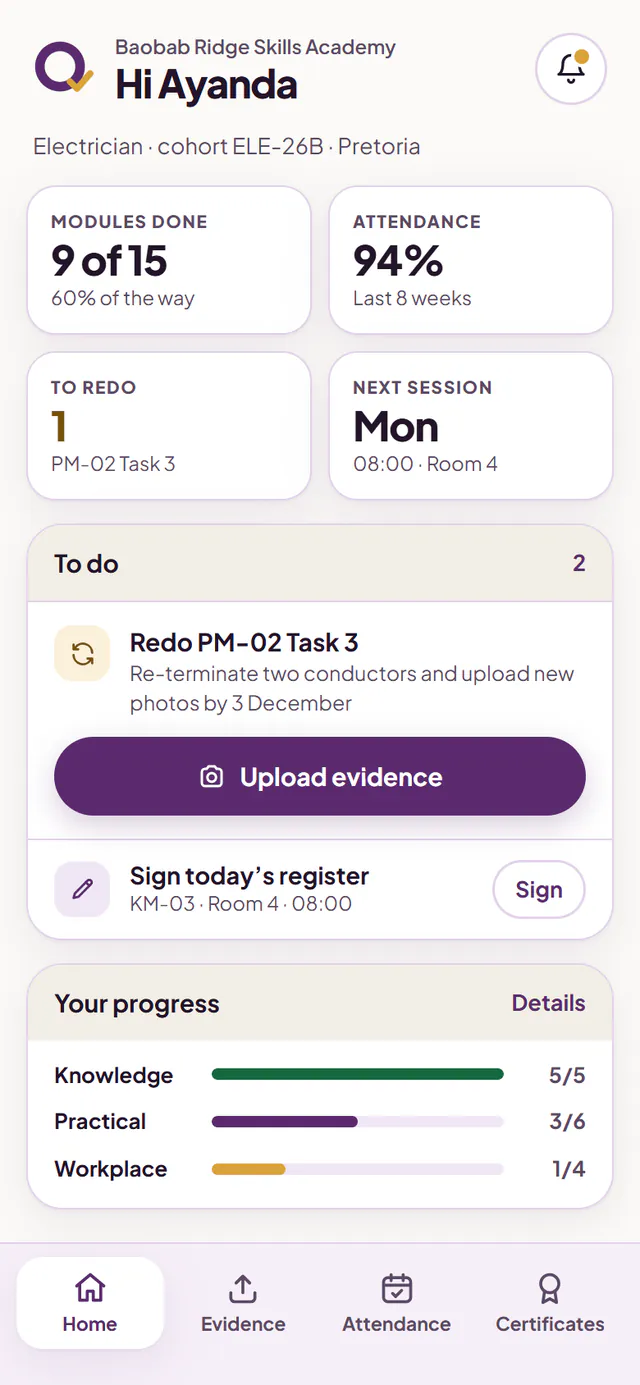
Learner app
Learners sign in on their phones to see their progress, upload evidence, sign their attendance and download their documents. It installs on the home screen like an app.
- Progress through every module
- Evidence uploaded straight from the camera
- Statements and certificates always at hand
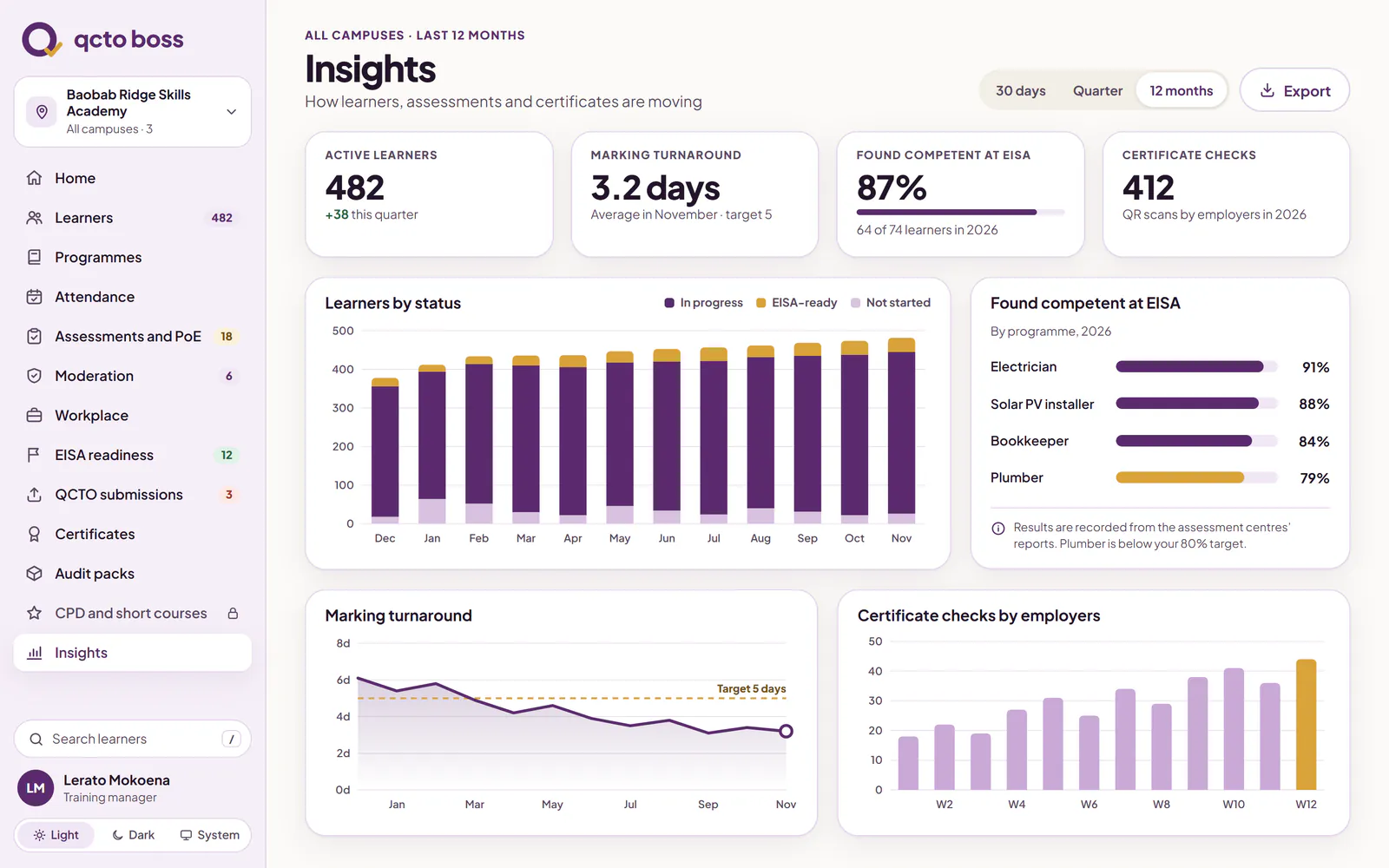
Insights
Learners by programme and status, PoEs waiting for marking or moderation, EISA results, documents issued and checked by employers, and attendance trends.
- Across campuses or one at a time
- Trends over months, not just today
- Numbers you can take to a board meeting
The basics, done properly
Several campuses
Run every campus and delivery site from one account, with staff limited to their own sites if you want.
User roles
Admin, facilitator, assessor, moderator and learner, each seeing what they need.
Computer, tablet and phone
Desktop screens use the full width; on a phone it works like an app, with the menu at the bottom.
Two-step sign-in
Every staff user signs in with a code from an authenticator app.
Encrypted personal information
ID numbers, and race and disability details, are encrypted when stored.
A little AI help
For example, it checks a PoE upload for missing pages before the assessor opens it.
See it first
QCTO Boss is in development. Get early access and tell us which modules matter most to you.